Putaway
What you will do
Take a received pallet to the storage location that the system chooses. Scan the location to confirm.
Before you start
- The pallet must have an LPN label and must hold stock.
- The pallet must stand at a known location (for example
STAGE). - You need to be able to walk to the location the system suggests.
- If the location breaks a putaway rule, a supervisor must approve.
The default roles Operator and Supervisor may run putaway. If you see No permission: {screen} ({function}), your administrator has changed the permission settings. Ask your supervisor.
Steps
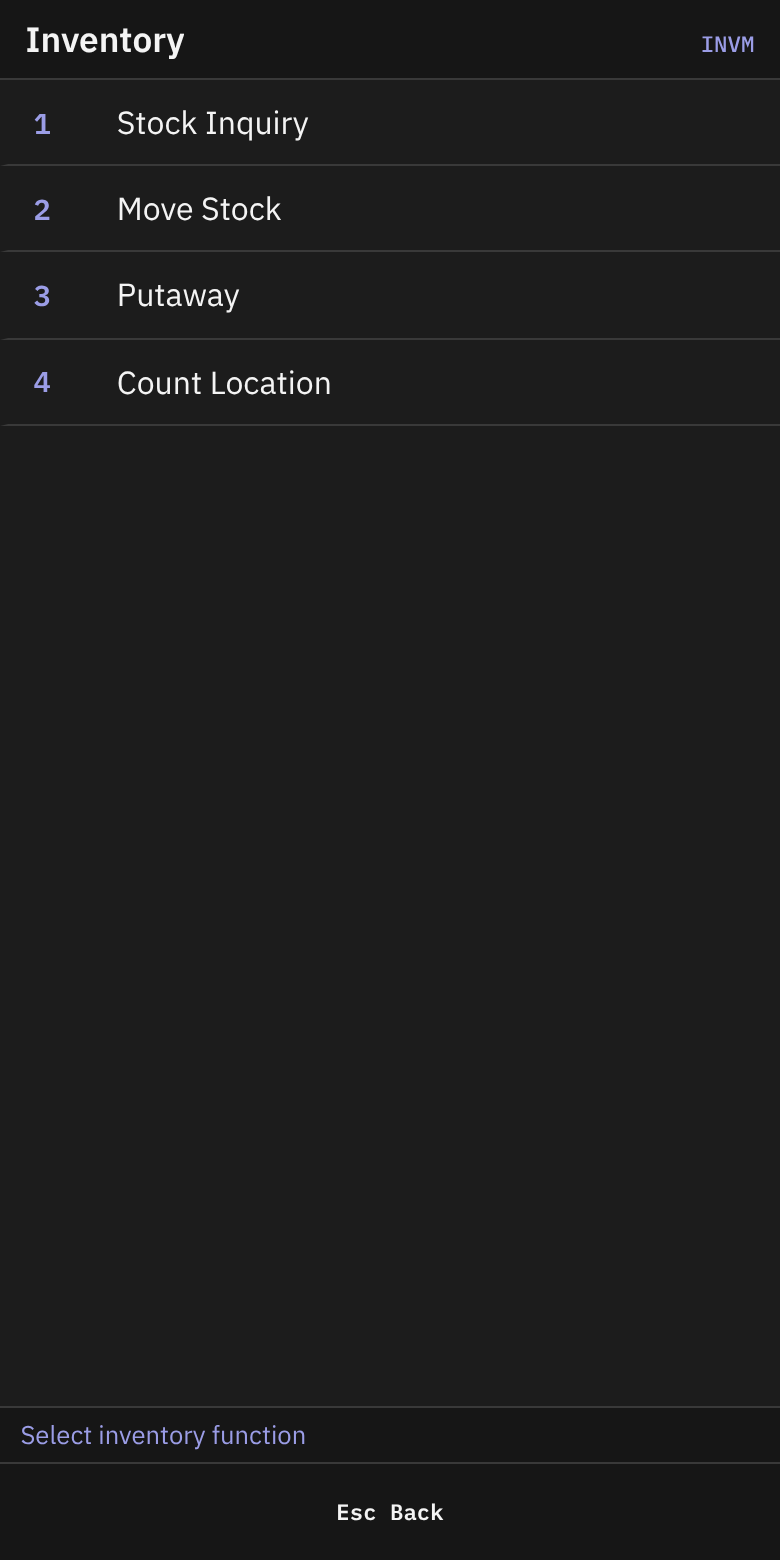
- On Main Menu, press
2(Inventory). - On Inventory, press
3(Putaway).
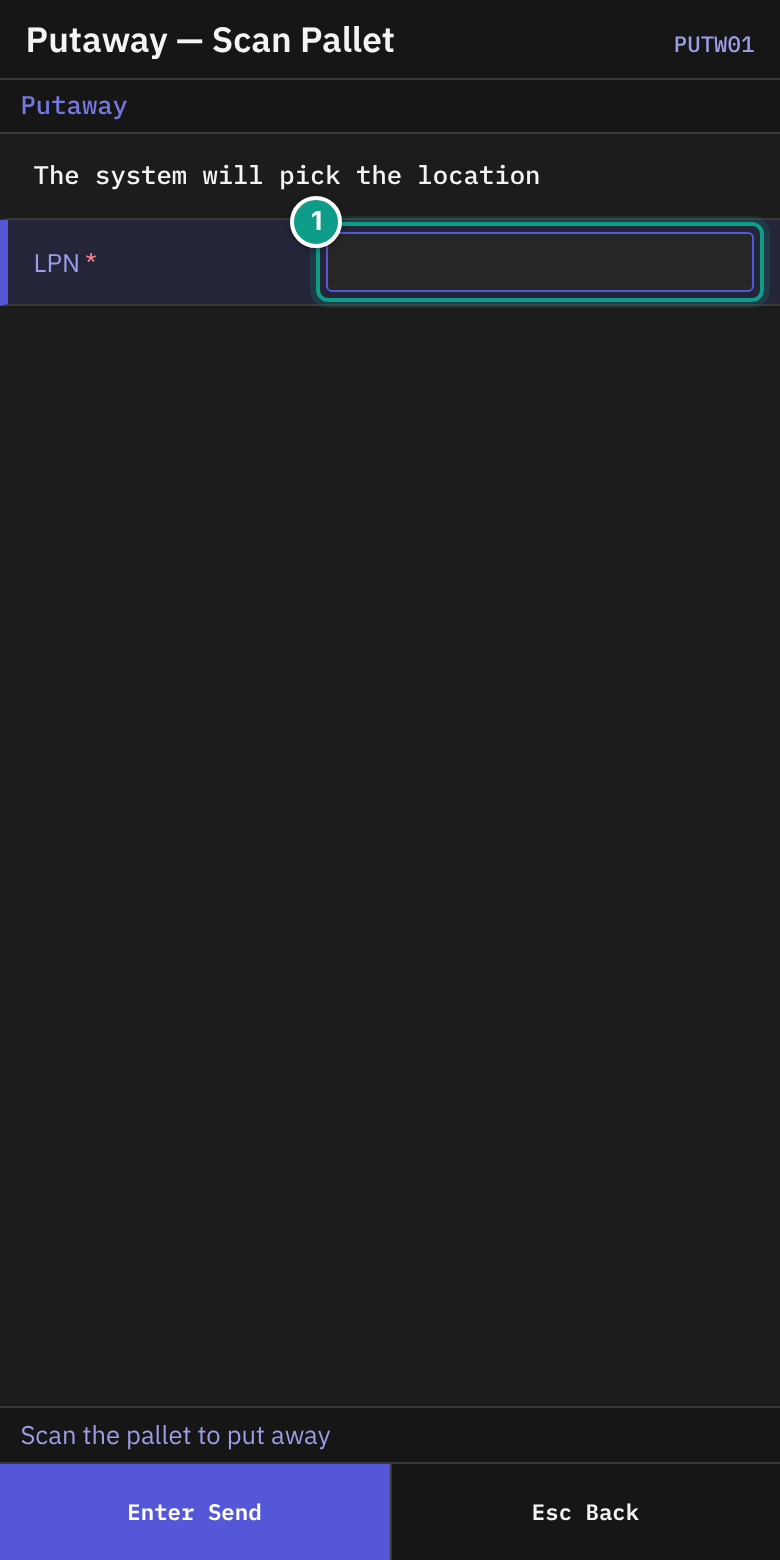
- On Putaway — Scan Pallet, read the line The system will pick the location. The status line says Scan the pallet to put away.
- In LPN, scan the pallet label (up to 40 characters). If the field is empty,
Enterdoes nothing.
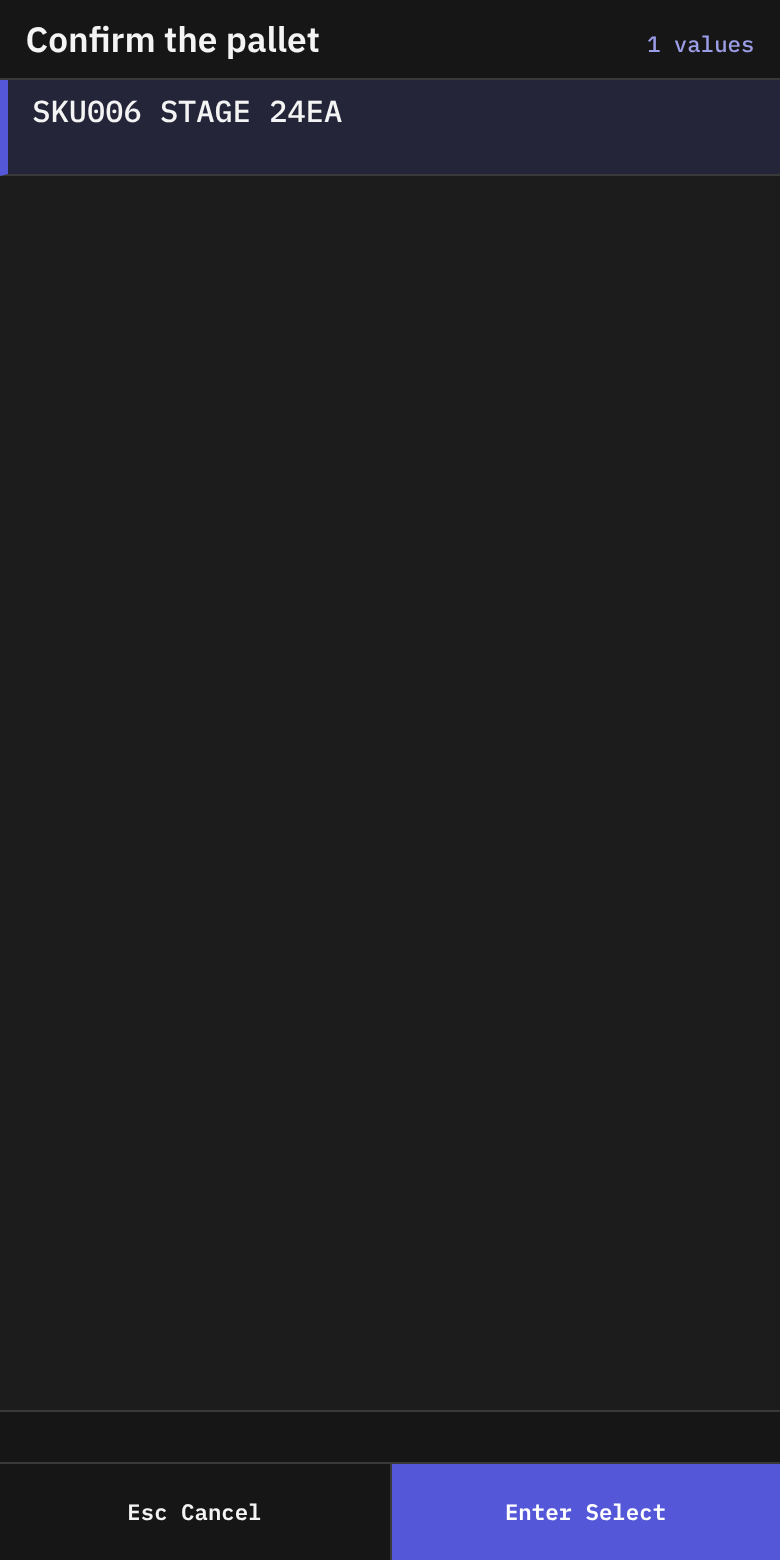
- On Putaway — Confirm Pallet (header Confirm Pallet), the list Confirm the pallet shows what is on the pallet. A row reads
{sku} {location} {qty}{uom}and addsHOLDif the stock is held. - Check that the row is your pallet. Press
Enteron the row. - If the list is empty, the status line says No pallet with that LPN — Esc to scan again. Press
Escand scan again.
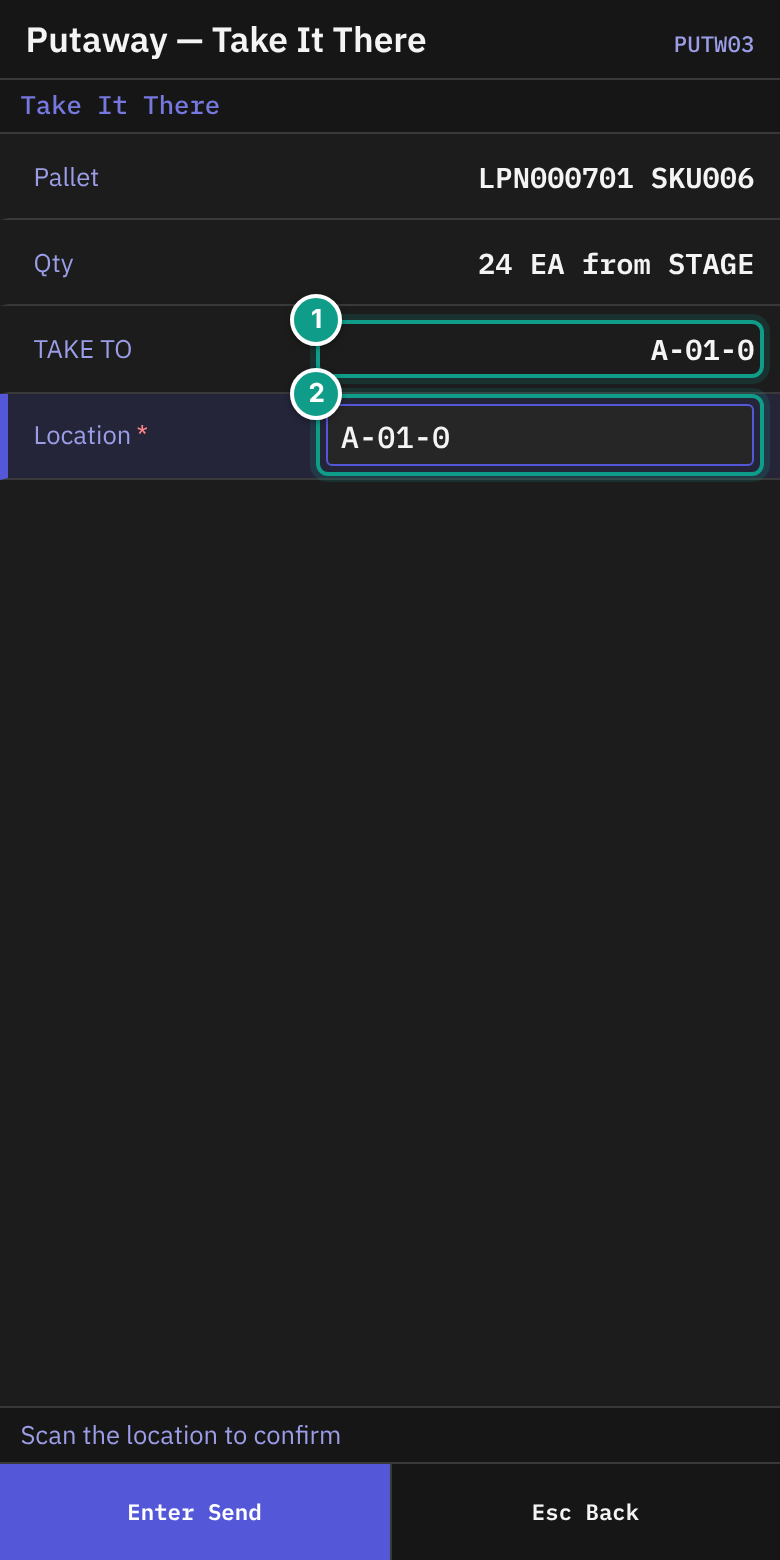
- On Putaway — Take It There (header Take It There), check:
- Pallet: the LPN and the SKU. loose means no LPN.
- Qty:
{qty} {uom} from {location}. - TAKE TO: the location the system chose. The system holds this space for you.
- Walk to the TAKE TO location with the pallet.
- In Location, scan the location label. The field starts with the suggested location. The field sends itself.
- The pallet moves. Put Away appears.
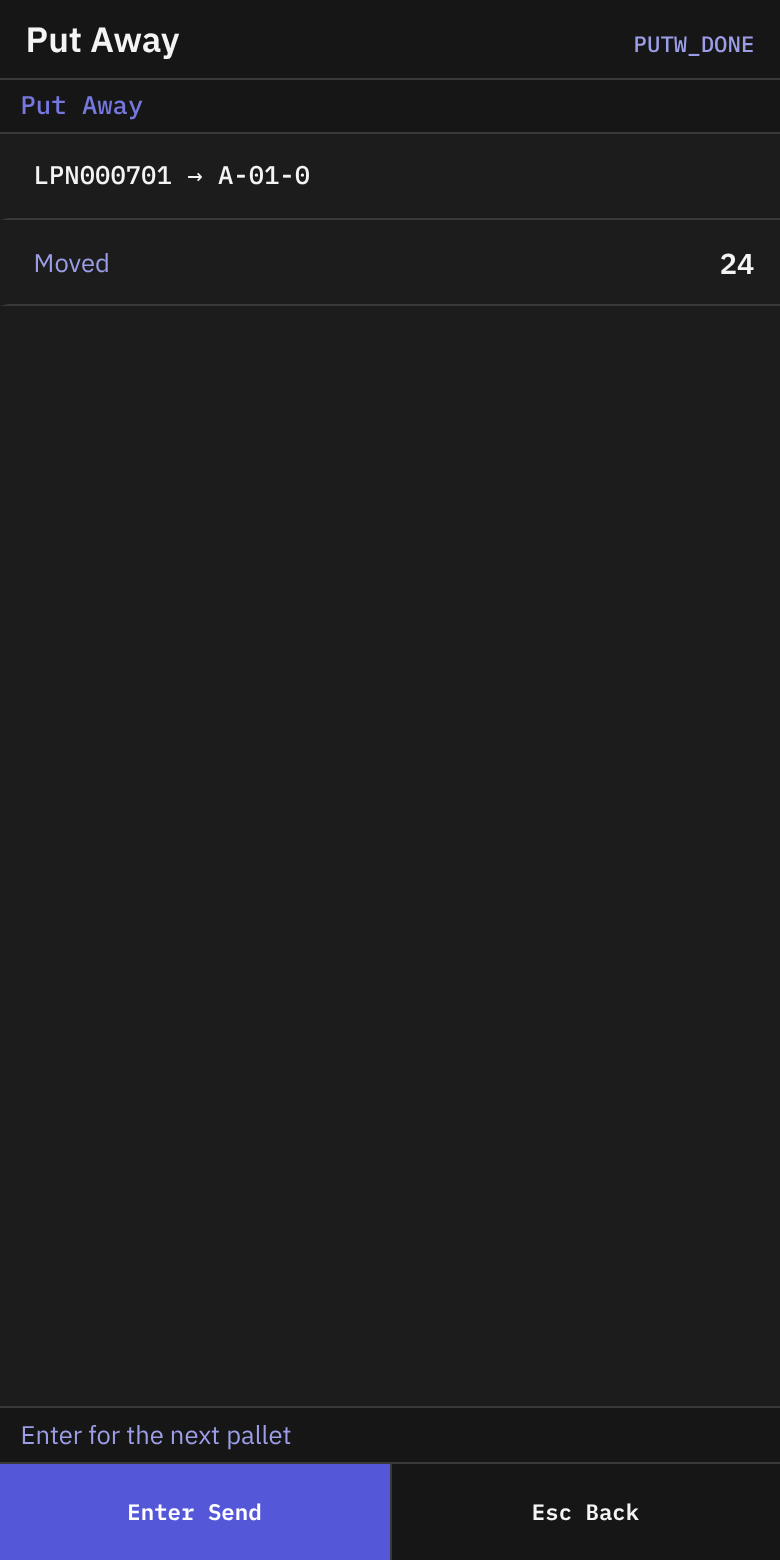
- On Put Away, check the line
{lpn} → {location}and Moved (the quantity). - Press
Enterfor the next pallet. The LPN field is empty. PressEscto go to the Inventory menu.
If the system has no location
On Putaway — Take It There, the line shows No location available: {reason} — Esc to give up.
- Press
Esc. - The terminal asks: Give up this putaway? The location held for you will be freed. Press
Y(Give up) orN(Keep going). - Tell your supervisor.
If the system sends you to another location
If the system changes the location, a line on the screen tells you where to go. TAKE TO shows the new location. Scan the new location.
If a supervisor must approve
If you scan a location that breaks a putaway rule, the terminal opens Supervisor Override.
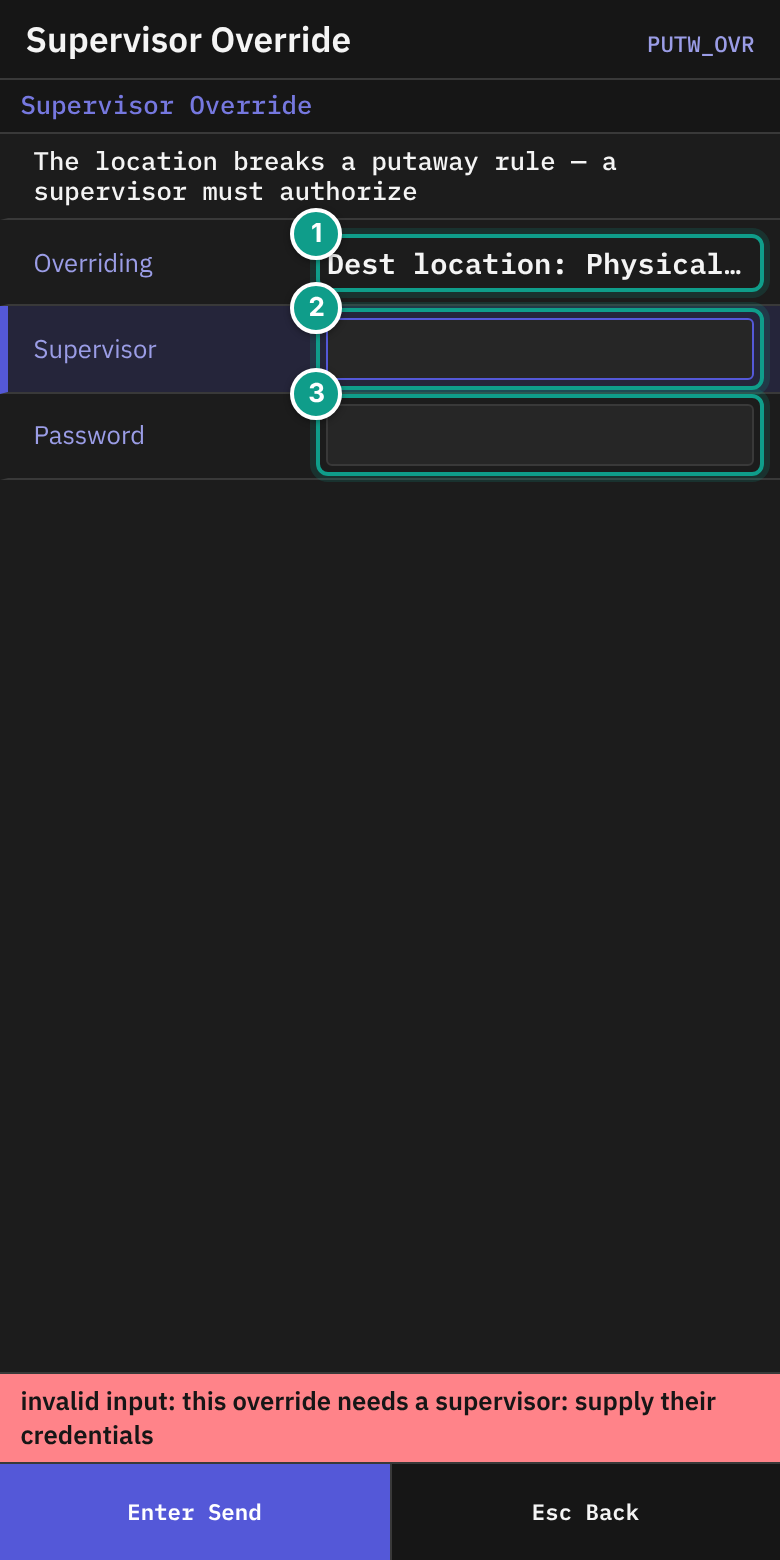
- Read The location breaks a putaway rule — a supervisor must authorize.
- Overriding shows what is broken, for example
Putaway rule: {rule}. Other parts can be Source LPN, Source location, Dest location and Hold. - The supervisor types the user name in Supervisor and the password in Password, then presses
Enter. - The terminal returns to Putaway — Take It There. Scan the location again.
Leave in the middle
- Press
Escon Putaway — Take It There. - If a location is held for you, answer the question as above. The held location is freed if you press
Y.
What you should see
- Put Away with
{lpn} → {location}. - The stock is now at the new location.
If something goes wrong
| Message | What it means | What to do |
|---|---|---|
| container {id} not found | The LPN is unknown. | Scan the label again. |
| container {id} holds no stock to put away | The pallet is empty. | Check the pallet. Tell your supervisor. |
| container {id} has no current location to put away from | The system does not know where the pallet is. | Tell your supervisor. |
| No location available: {reason} — Esc to give up | No location fits. | Press Esc. Tell your supervisor. |
| destination not found: {code} | The location code does not exist. | Scan the location label again. |
| destination {code} is inactive | The location is not in use. | Choose another location. Tell your supervisor. |
| destination location blocked: {reason} | The location is blocked. | Choose another. |
| capacity exceeded ({kind}): limit={limit}, attempted={attempted} | The location is full. | Ask for another location. |
| directed move must be redirected away from {location}: {because}; put it in {location} instead | The system moves you to another location. | Take the pallet to the named location. |
| directed move must be redirected away from {location}: {because}; no replacement location could be named — ask for a fresh suggestion | No new location was found. | Press Esc and start putaway again. |
| directed move: reservation {id} is not usable ({reason}) | The space held for you has expired. | Start putaway again. |
| hold #{id} ({code}) blocks this move (policy: not overridable) | The stock is held. A supervisor cannot override it here. | Tell your supervisor. |
| move requires an acknowledged override of: code {n} ({subject}) | A supervisor must approve. | Follow the Supervisor Override steps. |
| No permission: {screen} ({function}) | Your user may not do this. | Ask your supervisor. |
What the supervisor sees
The system holds a space at the suggested location while you walk. If you give up, the space is freed. After the move, the stock appears at the new location.